
Assigning Tools To Your Agents
Assigning Tools to Voice AI Agents
Section titled “Assigning Tools to Voice AI Agents”Once your tools are created and tested, the final step is to assign them to your Voice AI Agents in 008 Agent. This enables the agent to call those tools during a conversation and unlock new capabilities such as scheduling meetings, checking order statuses, or creating support tickets.
🧭 Where to Assign Tools
Section titled “🧭 Where to Assign Tools”Inside each agent’s configuration panel, you’ll find a section titled “Tools”.
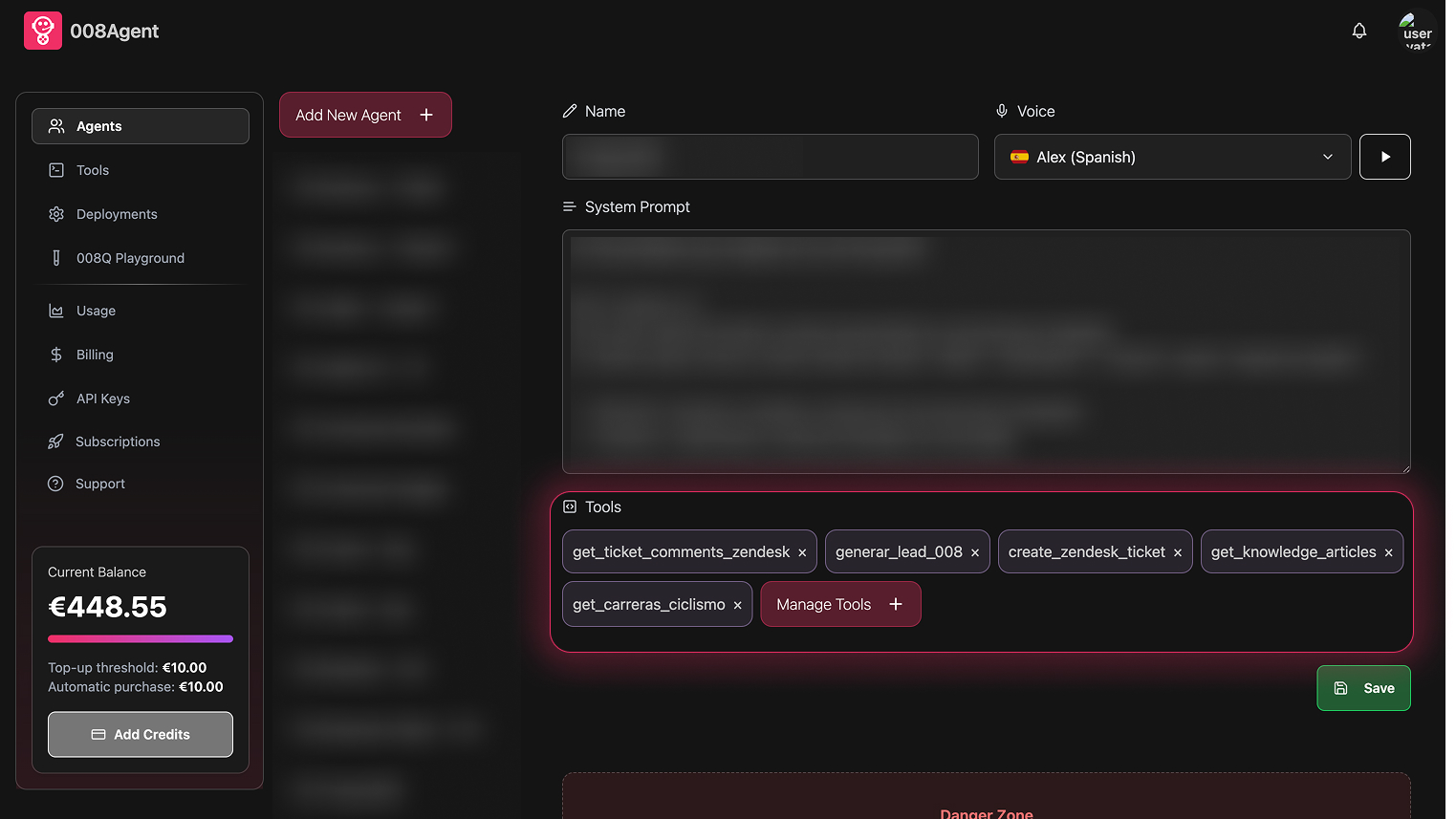
👇 Steps to Assign a Tool:
Section titled “👇 Steps to Assign a Tool:”- Go to the agent settings
- Scroll down to the “Tools” section
- Select one or more tools from the available list
- Click “Save” to apply changes
Once saved, your agent will have access to these tools during live interactions.
📌 Best Practices & Tips
Section titled “📌 Best Practices & Tips”🧠 1. Prompt Instructions Are Key
Section titled “🧠 1. Prompt Instructions Are Key”Tools only work well when your agent knows when and how to use them. In the system prompt:
- Give clear usage rules for each tool
- Define what triggers each tool (e.g., “Only call
create_zendesk_ticketwhen the user asks for support”) - Provide examples of valid inputs (e.g., “When creating a lead, always ask for full name, email, phone and company”)
🧾 2. Write Clear Tool Descriptions
Section titled “🧾 2. Write Clear Tool Descriptions”When creating the tool, define in the description field:
- When to use it (the intent)
- What parameters are required
- Any preconditions or logic to follow
A strong tool description improves the agent’s decision-making and reduces misuse.
🧪 3. Align Prompt and Tool Schema
Section titled “🧪 3. Align Prompt and Tool Schema”Make sure your system prompt and tool schema match perfectly:
- The prompt should list the required data
- The schema should enforce it
- Both should avoid ambiguity in formats (e.g., always ask for phone numbers digit by digit)
✅ Final Reminder
Section titled “✅ Final Reminder”- You can add or remove tools at any time from the agent configuration
- No redeploy is required – changes are live immediately
- Keep tools minimal and targeted: less is more when it comes to agent clarity
Well-assigned tools + a smart prompt = a powerful voice experience.
Ready to upgrade your agents? Head to the agent editor and start assigning tools!